
Blue vase for shelves and tables
A blue vase with a rounded silhouette. Add it to a shelf or table as a simple decorative accent.
Details to confirm Material, dimensions, and care instructions
Your hub for product marketing
For small product businesses: create editable product listings and Pinterest Pins from your photos and product details. Review everything before publishing to connected channels.
Create an account No store connection required.
From one product to two drafts
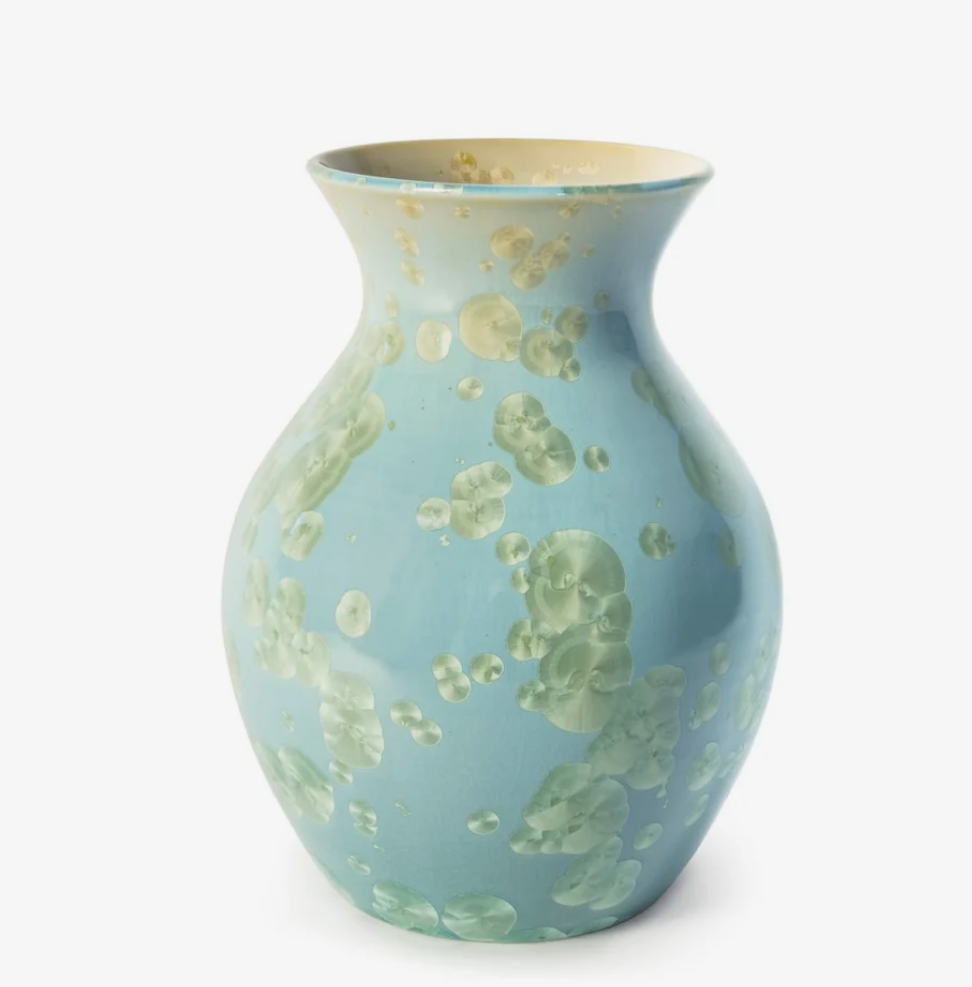
Product photo + confirmed product details
A blue vase with a rounded silhouette. Add it to a shelf or table as a simple decorative accent.
Details to confirm Material, dimensions, and care instructions
 Pinterest PinDraft for review
Bring a touch of blue to a shelf or table with this rounded vase. See the product for details.
Destination link Your product page
Illustrative draft layout. Product facts come from details you supply or confirm—not from a photo alone.
How it works
Add photos and product details—or choose an existing product.
Choose where you want to use the content, then generate drafts.
Review, edit, and publish supported connected outputs.
Build on your saved work
Reuse saved product details and supported preferences when creating your next draft.
Choose a saved product to start with its details again. Supported preferences apply in their relevant product and channel context.
Available destinations
Start without a store. Connect a supported destination when you’re ready.

Import products and create product or blog drafts for your connected store.
Explore NOMEV for ShopifyCreate Pins from your product content. Review and publish to selected boards.
You choose the copy, image, and destination link.

Professional-account connection, reviewed publishing, and read-only Insights are limited to approved test users.
Meta Tech Provider Access Verification is pending. These features are not generally available.
Instagram service operated by Mark Katz Photography. Business details

Create an editable product post and call to action to copy to Facebook.
Direct publishing is not available.
Small business owners in approved private testing connect their own Instagram professional account in NOMEV Hub. They upload images, add product facts and context, choose and edit a caption, review the destination account, and explicitly approve publishing.
Instagram account information identifies the connected destination. Account authorization enables NOMEV to publish the posts the user approves. With Insights permission, users can view performance metrics for up to ten recent posts. Those metrics and retrieved Instagram post content are not used for caption generation or business learning.
Users can disconnect Instagram in the Hub or request deletion of their NOMEV data. Business and contact details.
Before you begin
No. Start with your own photos and product details. You can create editable drafts without connecting a store. Connect Shopify if you want to import products or send reviewed drafts to your store.
Create editable product listings and Pinterest Pins. Shopify supports connected product and blog drafts; Pinterest supports publishing reviewed Pins to selected boards. Facebook is draft only. Instagram connection, reviewed publishing, and read-only Insights are limited to approved test users while Meta Tech Provider Access Verification is pending.
Reuse saved product details and supported preferences where they apply. Preferences are scoped to supported products, channels, and contexts; every edit does not immediately become a preference. Pinterest account content is not retained for business learning.
No. Review and edit your drafts first, then choose which supported connected outputs to publish. Supply or confirm details such as materials and dimensions; a photo alone does not establish those facts.
Start with one product
Bring your photos and product details. Make the result your own.
Create your first draftCreate an account · No store connection required.